Components
19 components are in Content first. Each one is here for a reason, and every reason traces back to the answers further down.
How the decisions cascade into them ↓The inventory
Action · 1
Buttons and toggles that start or switch something.
- ButtonSubscribe, share and save.

Form · 3
Fields, choices and pickers that take input.
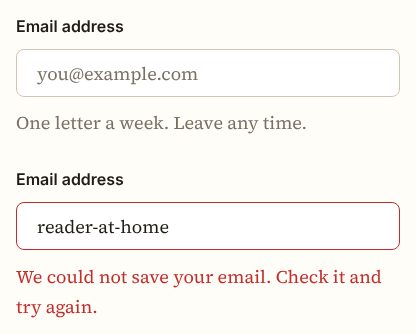
- InputSearch and the newsletter field.
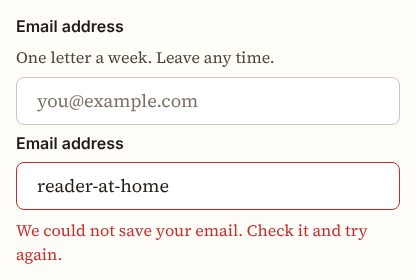
- LabelNames every field.

- FieldLays out the newsletter and search forms.
Navigation · 3
Menus, tabs, breadcrumbs and bars that move between places.
- BreadcrumbShows where a guide sits.

- Navigation menuThe site sections.

- PaginationMoves through article lists.

Feedback · 4
Alerts, toasts, loading and empty states that report what happened.
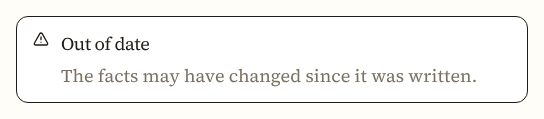
- AlertA note or warning inside an article.
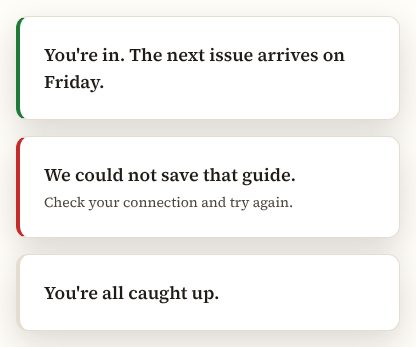
- ToastConfirms a saved article.
- BadgeThe topic of an article.
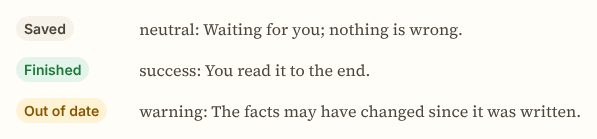
- SkeletonArticle text while it loads.

Overlay · 2
Dialogs, sheets, popovers and tooltips that sit above the page.
- DialogSign-up without leaving the page.

- SheetThe menu on a phone.

Layout · 3
Cards, separators and containers that group and arrange content.
- CardArticle previews.
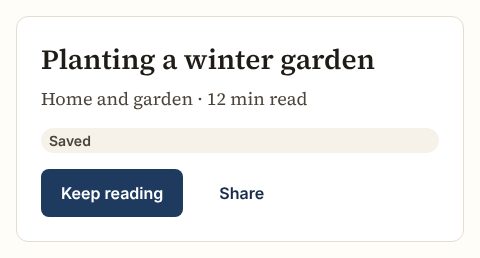
- SeparatorBreaks between parts of a page.

- CollapsibleA long aside the reader can open.

Content · 1
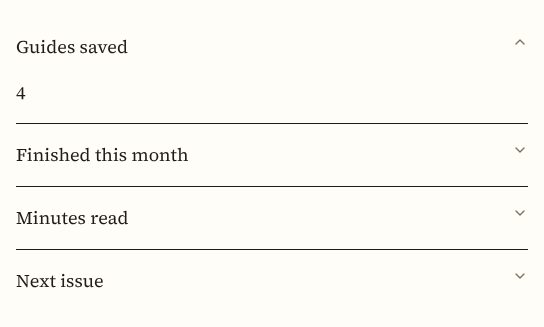
Accordions and sections that organise long text.
- AccordionQuestions and answers in guides.
Media · 2
Images, avatars and carousels.
- Aspect ratioKeeps images in shape.

- AvatarThe author of an article.

How the decisions cascade into them
The reasons come first. Five answers follow from them, and each answer shapes the inventory.
1 · The reasons
- R1Content and dataLong-form text, one idea at a time
- R2Tasks and flowsRead start to end, rarely
- R3Team and deliveryA small team, rarely
- R4Use scenariosAnywhere, on any device, one sitting
- R5BrandWarm, present
- R6OutcomesReading comfort, losing your place
2 · Five answers, and what each does to the inventory
- Which component families does it need?becauseR1R2
- Actions, forms, feedback, overlays, layout and navigation
- Core, plus data
- Core, plus content and media (chosen)
- Core, plus media
Readers need sections, navigation and little else.
Admits 8 families: action, form, feedback, overlay, layout, navigation, content, media.
- How far does the inventory reach?becauseR2R3
- Only what today's screens use (chosen)A component joins when a screen in use needs it, not before.
- What today's screens use, plus what the next ones will likely needCovers the screens in use and the ones the team can see coming, so they find the parts ready.
- Everything its families offer, ready before it's asked forEvery component the admitted families hold is there from the start, so teams never wait for one.
Actions are rare, so the components today's pages use cover them.
Only what today's screens use: Content first carries 19, as many as its needs.
- How does a component earn its place?becauseR4R2
- A use scenario needs it (chosen)
- Its family is in the roles, so product teams find it ready
- It works for everyone, with any device and assistive technology
- It gives the brand a moment
A component joins only when reading needs it.
Every component in the list above names the need it meets.
- When does a component get another look?becauseR5R6
- Only when the meaning changes (chosen)A new variant only for a different meaning, such as the main action or a danger.
- Also for emphasis and sizeVariants also set how loud a component is and how much room it takes.
- Also so each brand or page can look its own wayVariants also let a brand or a page carry its own look on the same component.
Pages stay calm when a component changes only with its meaning.
Only when the meaning changes variants per component: the components above keep to them.
- Where do components do the most work?becauseR1
- Tables and forms
- Articles (chosen)
- Forms and steps
- Sign-up and account pages
- Campaign sections
Components sit inside and around articles.
Most components above serve articles.
3 · The inventory
19 components, listed above, each with the reason it passed. Back to the list
Content first carries 19 components: core, plus content and media, each admitted because a use scenario needs it.